Introduction
This page is a holding page for finding energy featured models. The articles described as part of this section explains how various selected completed project finance models work. The boxes below summarise the pages with the various models that are available from the menu. I am in the process of putting more real world examples together. If you are bench-marking a new model or you want to see the structures of alternative models, I can send you an e-mail with some real world examples. My e-mail address is edwardboder@gmail.com.
Recent Solar Project Finance Model
I add some project finance models without too much explanation. The model below is a solar model that is used for training in FAST and has various techniques, many of what I don’t agree with. I used this model to work through the parallel model.
.
.
The file below replicates various aspects of PVSYST inside the financial model. With this, you can evaluate sources of risk like measuring the temperature on the panels, the accuracy of the temperature coefficient.
.
.
.
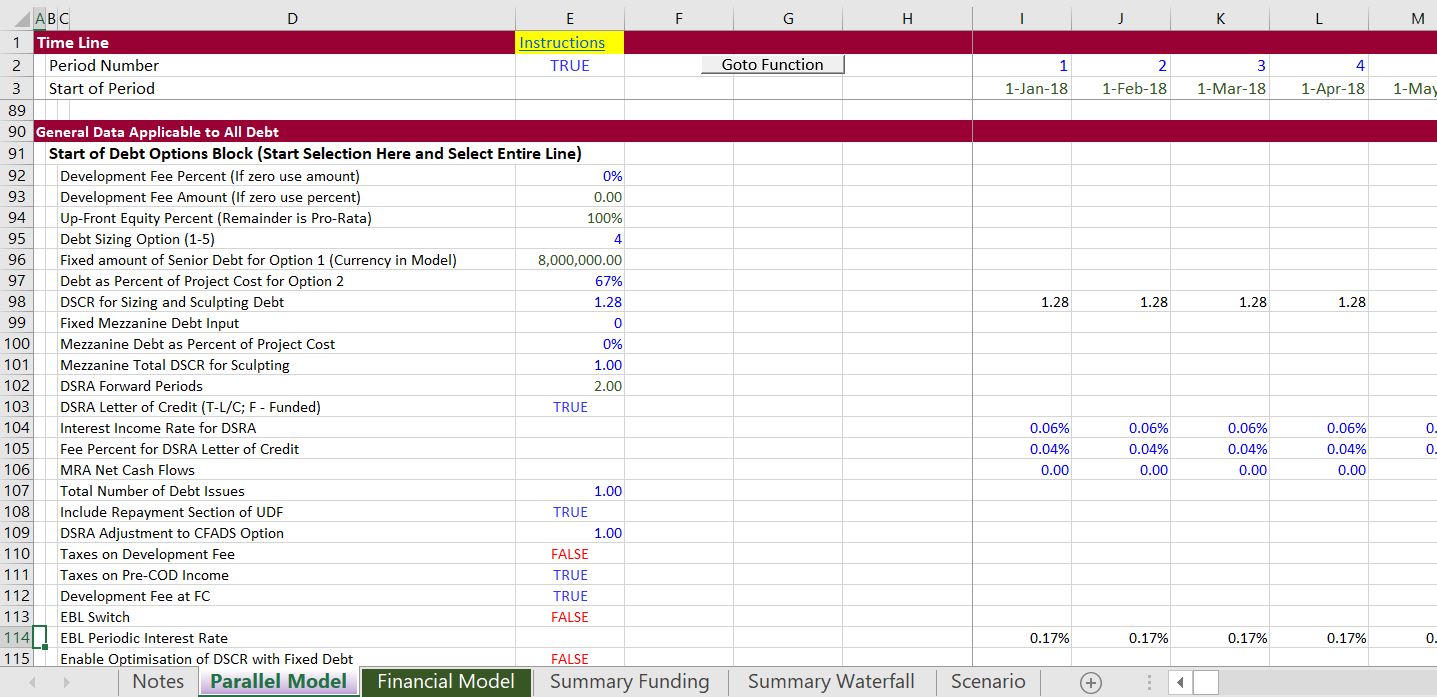
The screenshot below illustrates some of the inputs that you put in the parallel model. Please note that all of these inputs come from somewhere in your model. More importantly, many of the inputs that you may not care about like withholding taxes on debt issues or the percent of EBITDA cap on tax can be left out. It should only take you a couple minutes to fill in the inputs. Note that some of the inputs are scalar variables with single inputs while other variables are time series variables that some people simply call time variables.
.
.
I would really like to know what courses may be most interesting to you and where you would like the courses to be held. If you click on the left button below, I have a form that I will use to try and put together a class with a few people.
If you are a student, I would be honoured to come to your university or your business club and give you a hands-on guest lecture. If you click on the button on the left below, you can do me a big favor by giving me some information about your institution.
.
.
.
.
.
Example of Project Finance Model with Parallel Model to Resolve Circular References
The model that you can download by clicking on the button below resolves circular references without the iteration button or copy and paste macros. This makes the model faster, more transparent, more accurate and much more flexible. I have been working on this for a long time and I am going to post a template model that makes it easy to add to your model that has circular references. Please do not think this is difficult to do as I will be adding a lot of examples and videos that demonstrate you can easily add a page to your model and get rid of your copy and pasted values. You can add up to 30 different debt issues; you can use all kinds of different debt sizing, debt funding, debt repayment and interest rate structures. You can put in balloon payments, you can sculpt where changes in the DSRA are in the numerator or denominator of the sculpting formula.
.
.
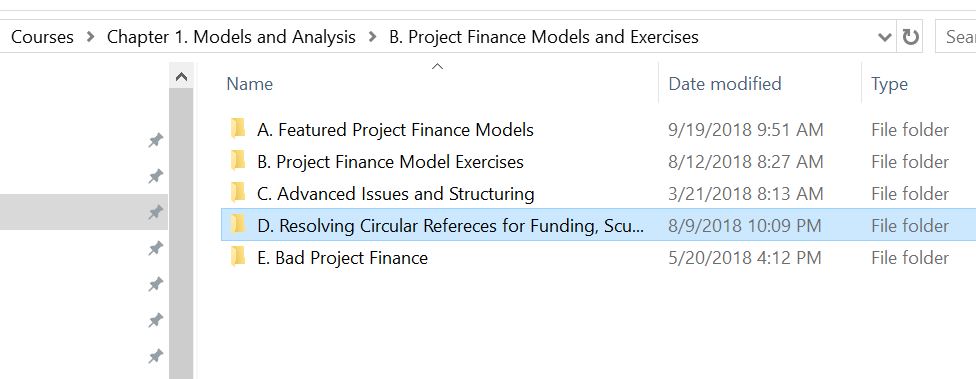
I am continuing to work on this this approach so it is easy to implement and can handle more possible of debt and taxes. You can see my progress if you have downloaded the google drive. The location of the files on the google drive is demonstrated in the screenshot below.
.
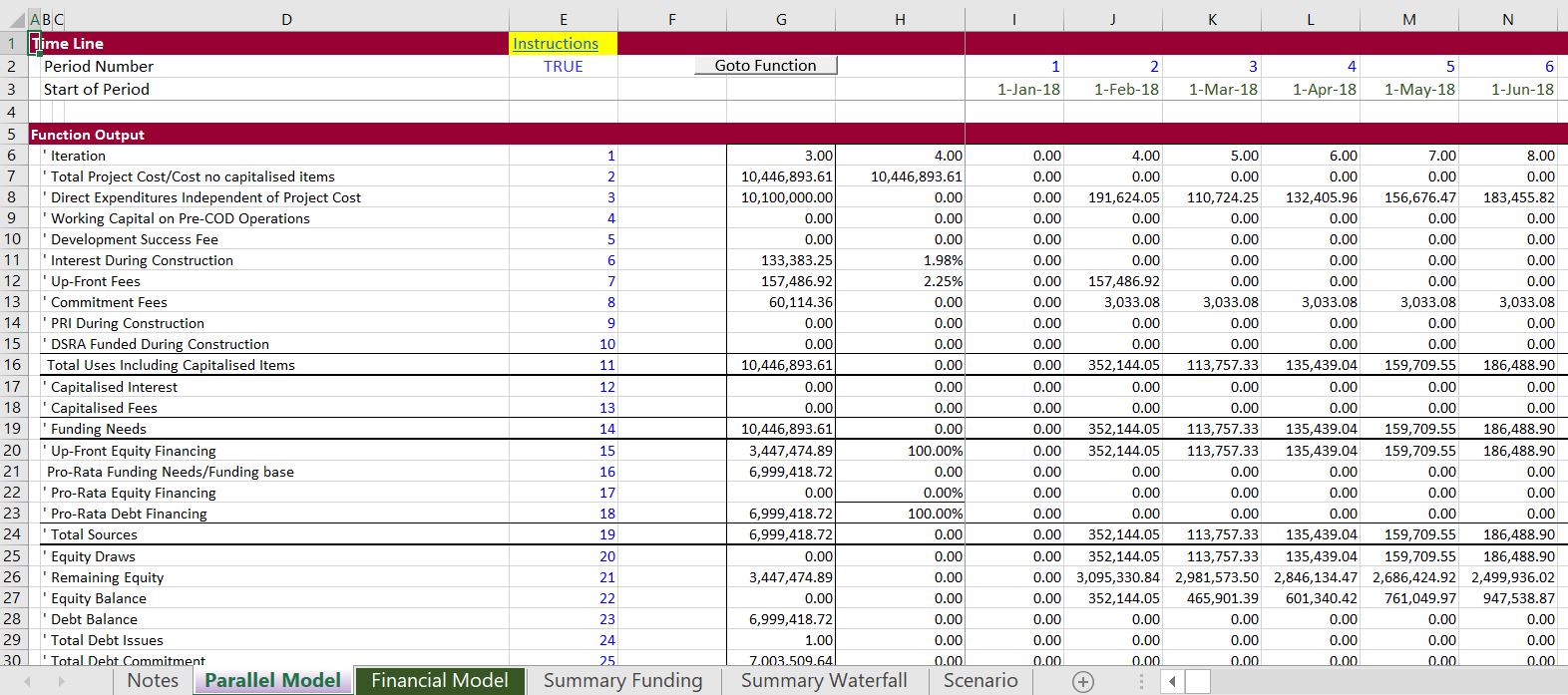
The screenshots below illustrate a few concepts about what the parallel model concept can do. The first screenshot demonstrates the parallel model page that you add to your model. This has a model that can be entirely independent of your model and used to test the accuracy of your model (the A in FAST). Data from the parallel model like the CFADS, total funding and DSRA flows can be connected to your model. This will eliminate the circular references in your model and make your model more transparent (T in FAST). By solving the circular references your model will be much more flexible and fast (the F in FAST). Finally, the parallel model outputs are structured so you can see all of the key cash flows of during and after construction. Making the parallel model in the two screenshots is done with a template and you do not have to re-enter the stuff.